
MacBook Won't Turn On? Here's What's Actually Wrong.
A straight answer from a real technician, same day. Walk-ins welcome.
We repair the board. We don't replace it.
1719 W North Ave, Wicker Park · Mon–Sat 10am–5:30pm · Walk-ins welcome
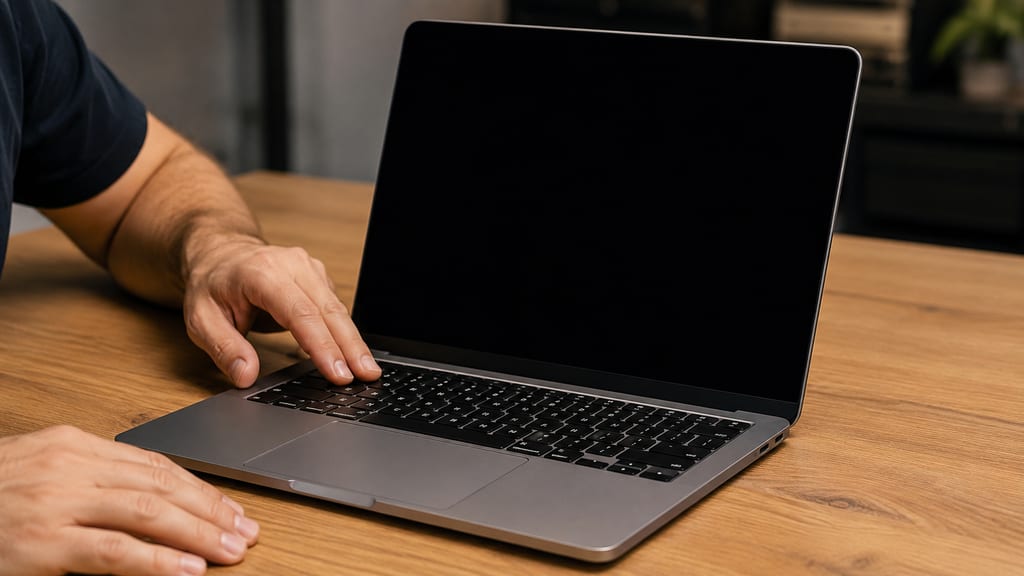
Try This First
Before you bring it in, run through these quickly. They take two minutes and rule out the most common non-repair causes.
- Try a different charger or cable.The most common cause of a MacBook that won't power on is a cheap third-party charger that damaged the power delivery system. A genuine charger tells you whether the machine can respond at all. If the battery was fully drained, leave it plugged in for ten minutes before judging the result.
- Hold the power button for 10 seconds, release, wait 5 seconds, then press once.This clears some firmware states that can lock the machine. On M-series MacBooks, hold for 10 seconds until the system shuts down completely.
- On MagSafe models, check the connector LED.No amber or green light after plugging in means the board is not drawing power, which narrows the fault considerably. USB-C chargers have no light, so on those models the charger swap in step one is the test.
None of those worked? Bring it in. The next step is on our bench: we measure how the board is actually responding to the charger and tell you what it means.
What "MacBook Won't Turn On" Actually Means
A MacBook that won't power on is one of the most misdiagnosed repairs there is. Walk into most shops with a dead MacBook and you'll hear "logic board replacement." That answer skips the diagnostic step that determines whether a board replacement is even necessary. There are four actual causes, and only one of them requires replacing the board.
Charging / power delivery failure
The most common cause we see. The power delivery chip on the board, the component that negotiates with the charger and steps voltage up to what the machine needs to boot, has failed. The MacBook looks completely dead. It is one chip. We see this constantly on USB-C models where the customer had been using a cheap third-party charger.
Short circuit on the board
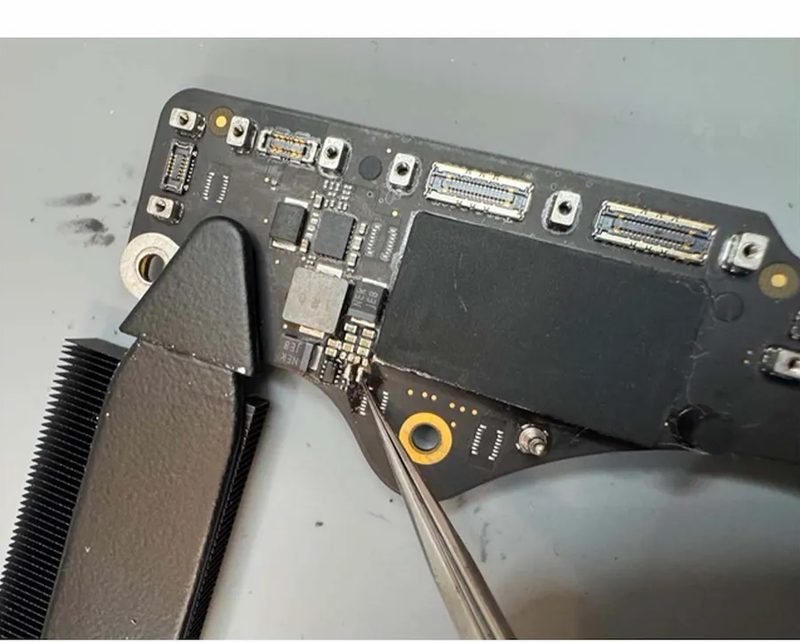
A failed component is dragging a power rail to ground. The board will not boot because the correct voltages cannot come up. We find the shorted part by feeding a small, controlled amount of power into the line and watching what heats up. Most of the time it is a single shorted capacitor. We remove it, the short clears, the board comes back.
Logic board component failure
A specific component on the board has failed, but the board itself is otherwise intact. Component-level repair replaces that part. This is a different job from board replacement. Authorized shops replace the whole board for this fault because they don't do component-level work. We do that work in-house.
Liquid damage
Liquid that reached the board has corroded or shorted components. This is its own category because the damage is often spread across multiple areas and needs to be mapped before repair begins. If liquid damage is the cause, see our MacBook liquid damage repair page for what that process involves.
We won't know which of the four it is until we measure it. That is what the bench check is for. Bring it in before you spend $700 to $1,500 on a board swap.
What Most Shops Will Tell You
Authorized repair shops are required to follow a specific policy when a MacBook won't turn on: they run a diagnostic, confirm the board has failed, and quote a full logic board replacement. They do not perform component-level repair. That is not a criticism. It is a structural constraint. Their certification requires them to use approved parts and approved repair procedures, and a full board swap is the approved procedure for board-level faults.
A logic board replacement means a new board. Your original board and the data tied to it, the storage, the encryption keys, everything, is gone. The cost for that swap typically runs $700 to $1,500 depending on the model. On newer machines it can be higher.
The referral loop is real. Older machines that are out of support get turned away, often referred to another shop that follows the same replacement-only policy. Customers who have been through this loop arrive at our door having already spent time and sometimes money without getting their machine fixed.
A lot of shops default to full board replacement because component-level work takes specialized skill and equipment. We do that work in-house.
What We Do Instead
A MacBook that won't turn on is rarely a dead machine. More often it is one failed part on a board that is otherwise fine. We have traced what looked like a dead board down to a single failed component more times than we can count.
Real case
The MacBook stopped turning on. An authorized shop confirmed the board had failed and quoted a full replacement. A second shop replaced the charging port, the easiest guess. Still dead. The customer brought it to us. We put it on the bench, measured how it was drawing power, and found the actual failed component: the power delivery chip on the board, taken out by a cheap off-brand charger the customer had been using for two years. We repaired the board at the component level and had the machine back in under three days with all data intact.
Here is what the diagnostic process actually looks like. Before we open anything, we read how the machine is pulling power. A healthy MacBook starts negotiating with the charger the moment it is plugged in, stepping voltage up to what it needs to boot. A dead one does not. It sits at the charger's starting voltage drawing next to nothing. That alone tells us the board is not a lost cause. It is stuck at the very first step.
Sometimes the board is fine and the firmware is just scrambled. We can revive that by connecting it to another Mac. No parts, no soldering. We check that first, because there is no sense charging you for board work the machine does not need.
We repair around 85% of the board-level machines that come in. The other 15% are damage too severe to be worth it, or the repair would cost more than the machine is worth. When that is the case, we tell you straight.
Whether the fault is in the power management circuit, the USB-C port circuitry, or a board that powers on but will not POST, the work happens on our bench in Wicker Park. Your machine never ships out.
What to Expect
-
Bring it in
Walk-ins welcome Monday through Saturday, 10 AM to 5:30 PM. No appointment needed. 1719 W North Ave, Wicker Park. A real technician looks at your MacBook. You get a real answer.
-
We look first, same day
Visual check, power test, charger test, done with you in the store. We tell you what we see. If that resolves it, you pay nothing. If the machine needs board-level diagnosis, that is $80, applied toward your repair if you proceed, and covers the labor of finding the problem if you don't.
-
Full quote before any work begins
We tell you the exact cost after the diagnostic. You approve it before we touch anything. No surprises, no pressure, no obligation.
-
Repair and return
Board-level diagnostics take 2 to 3 business days, because finding one failed component on an otherwise-good board is measurement work, not a parts swap. Most board-level repairs are done within a week. We give you a clear timeline after the assessment. If you leave the machine with us, we contact you when it is ready.
Board-level repairs typically carry a 30 to 90 day warranty on parts and labor. Coverage is confirmed at the time of service based on the nature of the repair.
Every Model Accepted
We service every MacBook, including those no longer supported by their manufacturer. Intel, T2, and Apple Silicon machines, M1 through M5. MacBook Air and MacBook Pro going back to 2008. There is no cutoff date here. If you were turned away because the machine is "too old to service," bring it in.
We see a high volume of 2018 to 2022 MacBook Air and Pro models with charging-related board faults, driven largely by USB-C charger damage. We also see older MagSafe models where the same kind of charging circuit failure hits a different part of the board. The diagnostic approach is the same. We measure first, then find the fault.
Real case
One customer booked an Apple appointment, made the trip, and was turned away at the door because their 2014 MacBook Pro was too old to service. We have no cutoff date. We replaced the battery and had it home in two days, with every file intact.
Getting Here
We are at 1719 W North Ave in Wicker Park, a short walk from the Damen Blue Line stop. We see customers from across Wicker Park and Lincoln Park, and plenty who come up from the Loop and South Loop. A straight Blue Line ride or a quick drive, with parking that is actually open when you get here.
Transit
- Blue Line: Damen stop, short walk north to North Ave
- Bus: #72 North Ave, #50 Damen, #56 Milwaukee all serve the corner
- Bike: The 606 trail and Milwaukee Ave bike lane
By Car
- From downtown: Kennedy Expressway (I-90/94), North Ave exit
- Parking: Easy street parking on North Ave, usually a spot right out front. None of the downtown circling.
Hours: Monday through Saturday, 10 AM to 5:30 PM. Closed Sundays. Walk-ins welcome, no appointment needed.
Real Repairs From Our Bench
Chicago Has Trusted eRepair Since 2011
"Sam was able to fix it for 1/3 of the price of my first quote. He helped me understand the issue and possible solutions."
Elizabeth W. · Google review
"Would have had to pay over $1000 elsewhere. The repairs were done within a day of dropping off my laptop."
Jennifer L. · Google review
Over 15 years of board-level repair experience in Wicker Park, featured in Martha Stewart, U.S. News, and Illinois PIRG.
Common Questions
- Usually it means one of four things: a charging or power delivery failure, a short circuit on the board, a single logic board component that has failed, or liquid damage. The most common cause we see is a power delivery problem, often traced to a failed component on the board, not the board itself. We measure which of the four it is before any work begins. That is what the initial check is for.
- Not always. Authorized shops replace boards because they do not do component-level repair. We do. Those are very different jobs with very different outcomes for your data and your wallet. A full board swap can run $700 to $1,500 and means the data tied to your original board is gone. A targeted component repair fixes the specific part that failed and preserves your data at a fraction of that cost. We will tell you which one it actually is after the diagnostic. For a deeper explanation of what board-level repair involves, see our MacBook logic board repair page.
- Yes. We fix MacBooks that other shops said couldn't be fixed. Plenty of boards that arrived here labeled dead left running again after one component was replaced. If you were told the board is gone, bring it in before you write off the machine. We measure it first and tell you honestly whether it is fixable.
- Board repair preserves your data. Board replacement destroys it. On newer MacBooks, the storage is soldered directly to the board, so your files are still there, locked behind a board that won't power on. Repair the board, the data comes back. If data recovery is the primary concern, see our MacBook data recovery page for more detail on that specific situation.
- We start with a visual check, power test, and charger test, done same day with you in the store. If that resolves it, you pay nothing. If the machine needs board-level diagnosis, that is $80, applied toward your repair if you proceed. The repair cost is quoted after the diagnostic. We tell you the full number before any work begins.
- No. Walk-ins are always welcome Monday through Saturday, 10 AM to 5:30 PM. Bring it in whenever works for you. A real technician looks at your MacBook. You get a real answer.
- The initial check is done same day, with you in the store. If the machine needs board-level diagnosis, that takes 2 to 3 business days, because finding one failed component on an otherwise-good board is measurement work, not a parts swap. Most board-level repairs are completed within a week. We give you a clear timeline after we measure, and we contact you when it is ready.
- Every model, including those no longer supported by their manufacturer. We service Intel, T2, and Apple Silicon machines, M1 through M5, and every MacBook Air and Pro going back to 2008. There is no cutoff date.
- The initial check covers a visual check, power test, and charger test. If the machine needs board-level diagnosis, that is $80. The $80 applies toward your repair if you proceed. If you decide not to repair, the $80 is non-refundable. It covers the labor of finding the problem, which takes real work regardless of the outcome.
- Yes. Bring it in as soon as possible. Liquid damage spreads by the hour, especially if the machine has been powered on since the spill. Liquid damage has its own assessment process, separate from the board-level diagnostic. For everything specific to liquid damage, see our MacBook liquid damage repair page.
- It depends on what actually failed, which we find out after the diagnostic. Authorized shops quote $700 to $1,500 for a full board replacement, which may be more than the machine is worth. Component-level repair for the same fault often costs a fraction of that. We will show you both options and let you decide. If the repair does not make financial sense, we will tell you that honestly.
- Board replacement means a new logic board. The original board and the data tied to it is gone. Board repair means we find the specific component that failed, replace that part, and return your MacBook with everything intact. Authorized shops replace boards because they do not do the component-level work that repair requires. We do that work in-house.
- In most cases, yes. Your data is typically still on the board, locked behind a board that will not power on. Getting the board working again is what makes recovery possible. See our MacBook data recovery page for a full explanation of what that process involves and what it costs.
Bring It In Before You Write It Off
We'll tell you exactly what's wrong and what it costs to fix before you commit. No pressure, no obligation.